
More free text tools
Upside Down Text Generator (ǝʇsɐԀ ⅋ ʎdoƆ)
Turn your text upside down, flip letters without reversing them, or write in mirror text. Tap any result to copy and paste it.
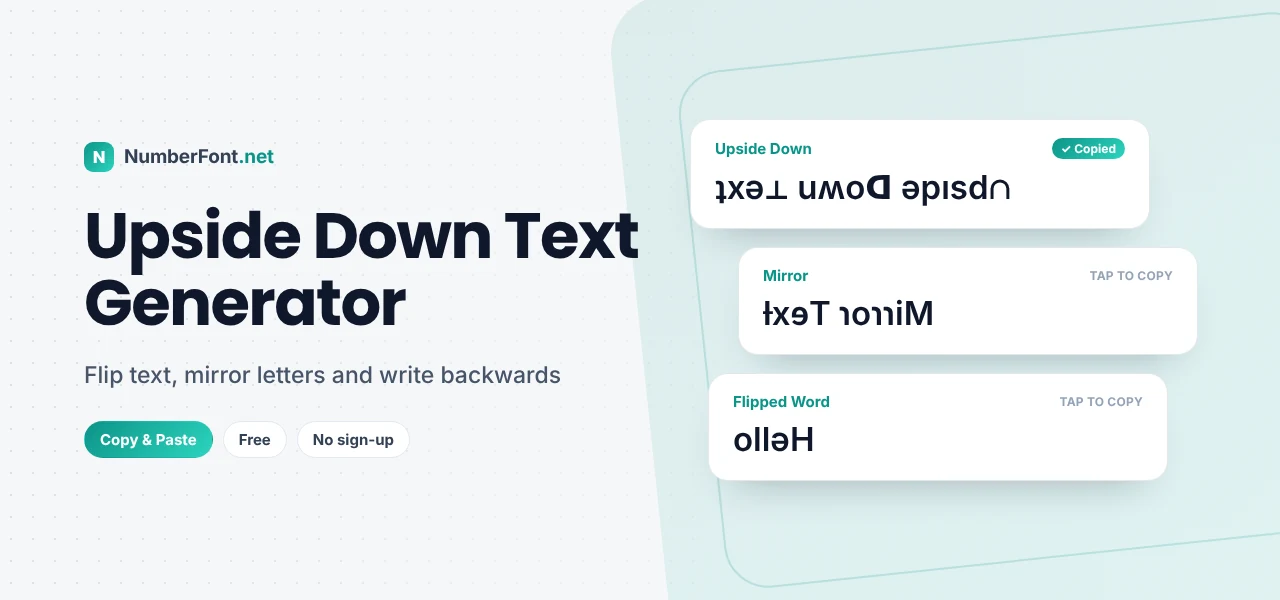
ʇxǝʇ uʍop ǝpısdn. If you just tilted your head to read that, you've already discovered why upside down text is so much fun. It grabs attention, makes people do a double take, and turns an ordinary message into a tiny puzzle.
This upside down text generator flips your words instantly. Get classic upside down text that reads correctly when you turn your phone over, flipped letters that keep their order, mirror text, and an upside-down mirror version, all ready to copy and paste.
How Does Upside Down Text Work?
There's no "rotate" button for text in most apps, so upside down text uses a clever substitution. Unicode, the standard that covers every character on your device, includes thousands of letters and symbols from many alphabets and technical sets. Some of them happen to look like English letters turned upside down: ɐ for a, ǝ for e, ɹ for r, and ʎ for y. The generator swaps each letter for its upside-down lookalike and then reverses the order, so that when you turn the screen over, the text reads normally.
How to Flip Text Upside Down
- Type your text in the box at the top.
- Pick a style from the result cards.
- Tap to copy it.
- Paste it into your chat, bio, comment, or post.
The Four Flip Styles
- Upside down: letters flipped and order reversed, the classic version. Turn your phone around and it reads perfectly.
- Flipped (not reversed): each letter is turned over, but the order stays left to right. It looks upside down while still being readable in the normal direction.
- Mirror text: the text reversed with mirror-image letters, as if reflected in a mirror.
- Upside down (word by word): each word is turned over on its own while the words stay in their normal order, so you can read it one word at a time.
Fun Ways to Use Upside Down Text
- April Fools' Day. Send a friend a message that only makes sense when they flip their phone.
- Social media bios. An upside-down line is an unusual touch that makes visitors pause.
- Gaming names. A flipped name stands out in a lobby and is hard to forget.
- Captions and comments. "ɹǝpun uʍop" is the obvious choice for a post from Australia!
- Reactions. Express a "my world just flipped" moment literally.
- Puzzles and classroom activities. Kids love decoding flipped messages.
Which Characters Can Be Flipped?
Most lowercase letters have convincing upside-down versions, because Unicode includes phonetic letters (from the International Phonetic Alphabet) that are literally rotated versions of Latin letters, such as ɐ, ɔ, ǝ, ɟ, ɥ, ɯ, ɹ, ʇ, ʌ, ʍ, and ʎ. Some letters, like o, s, x, and z, look the same either way up, so they don't need changing.
Capital letters are harder. Unicode has good matches for some, like ∀ for A, Ǝ for E, and ⊥ for T, but a few capitals use the closest available lookalike. Numbers flip too: 6 and 9 swap places, 7 becomes ㄥ, and 3 becomes Ɛ. Punctuation is handled as well: question marks become ¿, exclamation marks become ¡, and brackets swap direction.
If a character has no upside-down version, such as many emoji or letters from other scripts, it's kept as it is.
Upside Down Text vs. Mirror Text
People often mix these up. Upside down text rotates text 180 degrees, so you'd read it by turning your device around. Mirror text flips text horizontally, as if it were reflected in a mirror, so you'd read it by holding it up to a mirror. Both are on this page, so you can pick whichever effect you prefer. For more ways to write backwards, try the reverse text generator.
Things to Know Before You Paste
- Display differs by device. A few flipped characters may look slightly different on Android, iPhone, and computers, because each uses its own fonts.
- Search won't find it. Flipped letters are different characters, so "ʇxǝʇ" won't match a search for "text".
- Screen readers struggle. Assistive tools may read flipped characters as unusual symbols. Use upside down text for fun, not important information.
- Usernames may reject it. Handles often allow only standard letters, but display names, bios, and messages usually accept it.
A Little History of Flipped Text
Playing with letter orientation is much older than the internet. Ambigrams, words designed to read the same when rotated, have appeared in art and logos for decades. Typographers and printers have long used rotated letters as visual jokes. And phonetic alphabets have used turned letters like ɐ and ɹ for over a century to represent specific speech sounds. Online, upside down text took off in early forums and social networks as a playful way to stand out, and it has stayed popular ever since.
Upside Down Text Ideas
Need inspiration? Try flipping a simple greeting like "good morning" for a playful start to the day, or your name for an unusual bio line. "Help, I've fallen" flipped upside down makes a great joke caption. Gamers sometimes flip their tag to stand out in a lobby, and teachers use flipped sentences as a quick brain-teaser at the start of a class. Short phrases work best, since long flipped paragraphs are hard to read even when you turn the screen.
Why Use This Upside Down Text Generator?
You get four flip styles side by side, including both upside-down and mirror effects, with instant updates and one-tap copying. It handles capitals, numbers, punctuation, and multi-line text, and it keeps emoji intact. It's free, needs no sign-up, and works on any device.
Frequently Asked Questions
Common questions about flipping text.
Type normally in the box above, then copy the "Upside down" result. It uses special Unicode characters that look like flipped letters.
Yes. The flipped characters are standard Unicode, so you can paste them into bios, captions, comments, and chats.
Unicode doesn't have a perfect upside-down version of every capital, so a few use the closest available lookalike.
Upside down text is rotated 180 degrees. Mirror text is flipped horizontally, as if reflected in a mirror.
Yes. It's free with no sign-up, and your text stays on your device.