0 Chars
 Number FontNumber FontNumber Font
More free text tools
Build a stylish PUBG nickname or clan name with fancy fonts and symbols. Tap to copy and paste.
When you drop into Erangel with ninety-nine other players, your name is one of the few things that makes you stand out. It shows up when you knock someone, in the squad list, on the final leaderboard, and in every screenshot of a chicken dinner. A stylish name turns that moment into a signature.
This PUBG name generator turns your nickname into eye-catching styles with fancy letters and gaming symbols. Type your name, pick a style, and paste it into PUBG Mobile.
PUBG Mobile doesn't let you choose a font, but it accepts a range of Unicode characters in names. The generator replaces your letters with stylized Unicode versions and adds decorative symbols, so your name looks unique while staying readable to the game.
Rename Cards are limited, so test your name carefully. Menus can also shift slightly between updates.
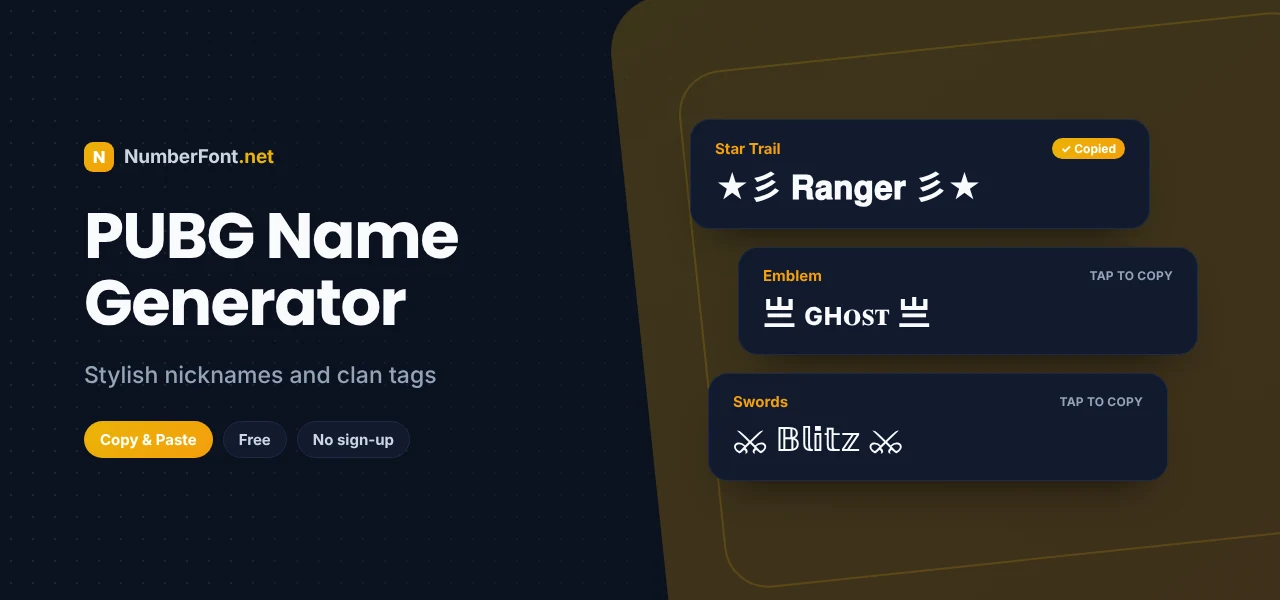
★彡 star trails give a name a fast, flashy look, as if it's streaking across the screen.
亗 and 乂 are CJK characters that look like emblems or crossed weapons, a PUBG classic.
⌖ and ⚔ hint at your playstyle: sniper or close-range rusher.
A PUBG clan works best with a shared tag that every member uses. Keep the tag to two or three letters inside brackets like 『』 or 【】, and add it to the front of each member's name. For the clan name itself, choose something short and bold, and test how it looks with your tag. A consistent tag makes your squad look organized and intimidating in lobbies and on leaderboards.
Use these as starting points and swap in your own word or nickname.
Because Rename Cards are limited, take a moment before confirming. Paste the name into the rename box and check that every symbol appears correctly. Count the characters to make sure nothing is cut off. Read the name out loud to see if your squad can call it quickly. And ask yourself if you'll still like it next season. A few seconds of checking can save you a card.
Clan tags work best when they're short and consistent. Use your clan's initials inside brackets, like 『TX』, 【GOD】, or ꧁NX꧂, and keep them at the front of each member's name. If your clan has a theme, pick a matching symbol: ☠ for a dark theme, ♛ for royalty, ⚡ for speed. Test the tag with your longest member's name to make sure everyone fits within the limit.
It's easy to get carried away with symbols, but in a fast match, communication matters. When your squad needs to call "help" or "follow me", a clear name is quicker to say and recognize. The best PUBG names balance style and clarity: one strong word, readable letters, and decoration on the edges. Save the heavy symbols for your profile or clan tag, and keep your callable name simple.
Many players waste a Rename Card on a name that looked great in a browser but not in the game. Common problems include symbols that show as boxes, names that are cut off, and fonts mixed so heavily that nobody can read them. Some players also pick names they quickly outgrow. Take a moment to test, simplify, and choose something you'll be proud of for a long time.
You can create and compare dozens of name styles in seconds, all on your phone. Save the ones you like, decorate them further, and copy with a single tap. It's free and safe, with no login, no downloads, and no connection to your PUBG account. Looking for more? Try the BGMI name generator or the gaming font generator.
Common questions about PUBG names.
Generate a style here, copy it, then use a Rename Card in PUBG Mobile, paste the name, and confirm.
The name may be too long, already taken, or contain unsupported characters. Shorten it or replace symbols that show as boxes.
They're CJK characters used for their weapon-like shapes. In names they act as decorations rather than words.
Yes. It only creates text in your browser and never asks for your PUBG account details.
Yes, it's free to use with no limits.
Yes. Both games handle names in a similar way, so a style that works in one usually works in the other. Preview it in each game before confirming.
Try a styled version with a different font or symbol. Because fancy characters are different from normal letters, a styled name is often available even when the plain one isn't.