
Result
More free text tools
Text Repeater (Repeat Text Online)
Repeat a word, sentence or emoji as many times as you like, with new lines, spaces, commas or your own separator, then copy the result in one tap.
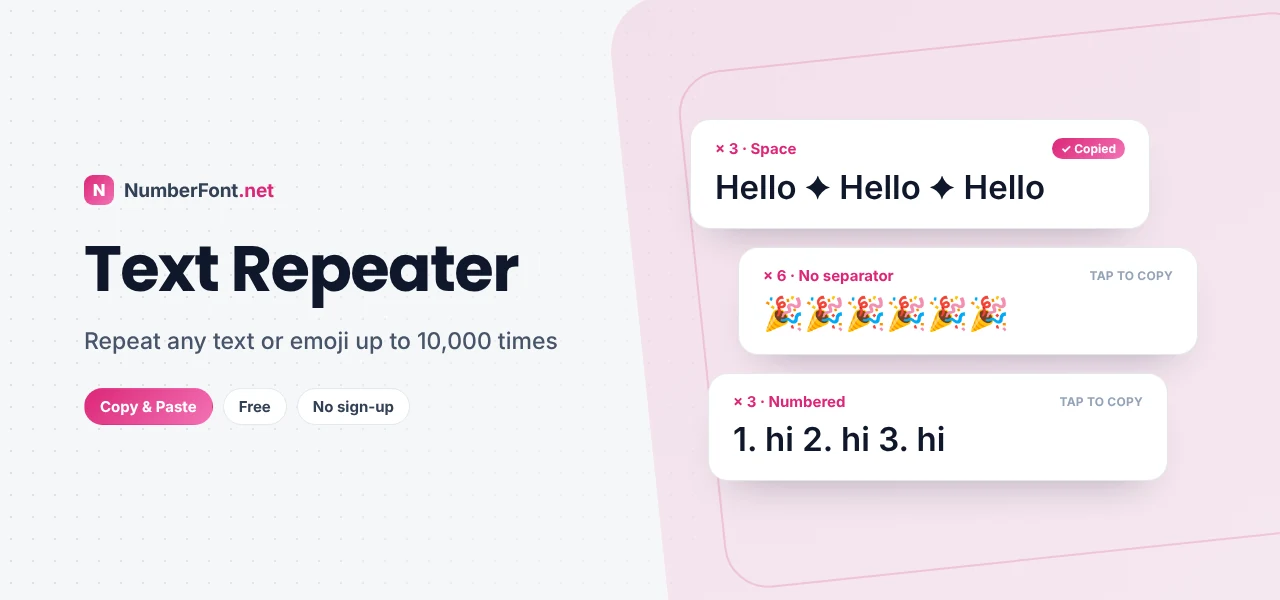
Need the same word fifty times? A row of hearts for a birthday wish? A test string of a thousand lines for a form you're building? Copying and pasting by hand gets old quickly, and it's easy to lose count.
This text repeater does it for you. Type any text, word, or emoji, choose how many times to repeat it (up to 10,000), pick a separator such as a new line, a space, or your own custom one, and copy the result in a single tap.
What Is a Text Repeater?
A text repeater is a simple tool that multiplies text. You give it something to repeat and a number, and it produces the combined result: "hi" repeated three times with spaces becomes "hi hi hi". It sounds basic, but it's surprisingly useful, from playful messages to practical testing and formatting jobs.
How to Repeat Text
- Type your text in the box at the top. It can be a word, a sentence, an emoji, or several lines.
- Choose how many times to repeat it using the number box, the + and − buttons, or the quick buttons (5, 10, 50, 100, 1000).
- Pick a separator: new line, space, nothing, comma, or a custom separator of your choice.
- Turn on numbering if you want each repeat labelled 1., 2., 3. and so on.
- Tap "Copy result" and paste it wherever you need it.
The result updates live as you change any setting, and the counter above it shows how many repeats and characters you've created.
Separator Options Explained
- New line: each repeat on its own line, great for lists, test data, and spacing out messages.
- Space: repeats in a single flowing line, ideal for words and emoji like "😂 😂 😂".
- Nothing: repeats joined directly, for patterns like "❤❤❤❤" or "hahaha".
- Comma: a comma and space between repeats, useful for lists and sample data.
- Custom: anything you like, such as " | ", " ✦ ", or " - ". Type \n in the custom box to add a line break.
Popular Uses for a Text Repeater
- Birthday and celebration messages. Fill a message with 🎉 or ❤️ for an over-the-top wish.
- Fun messages with friends. "I'm sorry" a hundred times, or a wall of laughing emoji.
- Testing forms and websites. Developers and testers use long repeated strings to check text limits, layouts, and performance.
- Practice and learning. Teachers create repeated practice lines, and learners repeat new words.
- Formatting. Build long dividers like "━━━━━━━━━━" or decorative patterns.
- Placeholder text. Quickly fill a design mock-up with sample content.
Using Repeated Text Responsibly
A text repeater is great for fun and productivity, but sending huge walls of repeated text to people who didn't ask for it can be annoying, and on some platforms it counts as spam. Many apps limit message length, and repeated messages in groups can get you muted or removed by admins. A few simple guidelines keep things friendly:
- Send big repeated messages only to friends who'll enjoy the joke.
- Don't flood group chats, comment sections, or support channels.
- Check the app's message limit. Very long messages may be cut off or refused.
- Never use repeated text to harass someone or overwhelm a service.
Message Length Limits to Know
Every app has its own limits, and they change over time, so treat these as rough guides. Text messages (SMS) split into parts after 160 characters. X posts allow 280 characters for standard accounts. Instagram captions allow 2,200 characters, and comments are much shorter. WhatsApp allows long messages, but very large ones can be slow to send and annoying to scroll past. The character counter above the result helps you stay within the limit you need. For detailed counts, paste your result into the word counter.
Tips for Better Results
- Add a space inside your text if you want a gap between repeats but also a custom separator.
- Use numbering to create quick numbered lists, such as "1. Task", "2. Task", and so on.
- Repeat several lines by typing them with line breaks. The whole block will repeat together.
- Mix in symbols from our cool symbols page to make decorative patterns.
- Large outputs are capped at two million characters to keep your browser responsive.
A Quick Note on Performance
Repeating text thousands of times creates a lot of characters very quickly. "Hello" repeated 10,000 times on new lines is around 60,000 characters, which is fine. But repeating a long paragraph 10,000 times could produce millions of characters, enough to slow down a phone or freeze an app when you paste it. That's why this tool stops at a sensible limit and tells you when it does. If you need truly massive test files, a script or programming tool is a better fit.
Ideas to Try with the Text Repeater
Here are a few quick ideas. Repeat "🎂" fifty times with no separator for a birthday banner. Repeat "Happy Diwali ✨" with new lines for a festive message. Repeat "━" thirty times to make a divider for a caption. Turn on numbering and repeat "Question" ten times to create a numbered template for a quiz. Or repeat "Lorem ipsum" to fill a design mock-up while you wait for real content. Small tweaks to the separator and count give very different results, so it's worth experimenting.
Why Use This Text Repeater?
It's quick and flexible, with live results, quick-pick counts, custom separators, optional numbering, and one-tap copying. It handles emoji and multi-line text correctly, works on any device, and keeps everything private in your browser. No sign-up, no limits beyond what keeps your device happy.
Frequently Asked Questions
Common questions about repeating text.
Up to 10,000 times. Very large results are capped at two million characters to keep your browser fast.
Yes. Type or paste any emoji, choose a count and separator, and copy the result.
Choose "New line" in the separator menu. Each repeat will appear on its own line.
Yes. Choose "Custom" and type any separator, such as a symbol or a word. Type \n to add a line break.
Yes, it's completely free with no sign-up, and your text stays on your device.