0 Chars
 Number FontNumber FontNumber Font
More free text tools
Create round, circled and bubble-style letters and numbers instantly. Pick white or black bubbles, tap to copy and paste them anywhere.
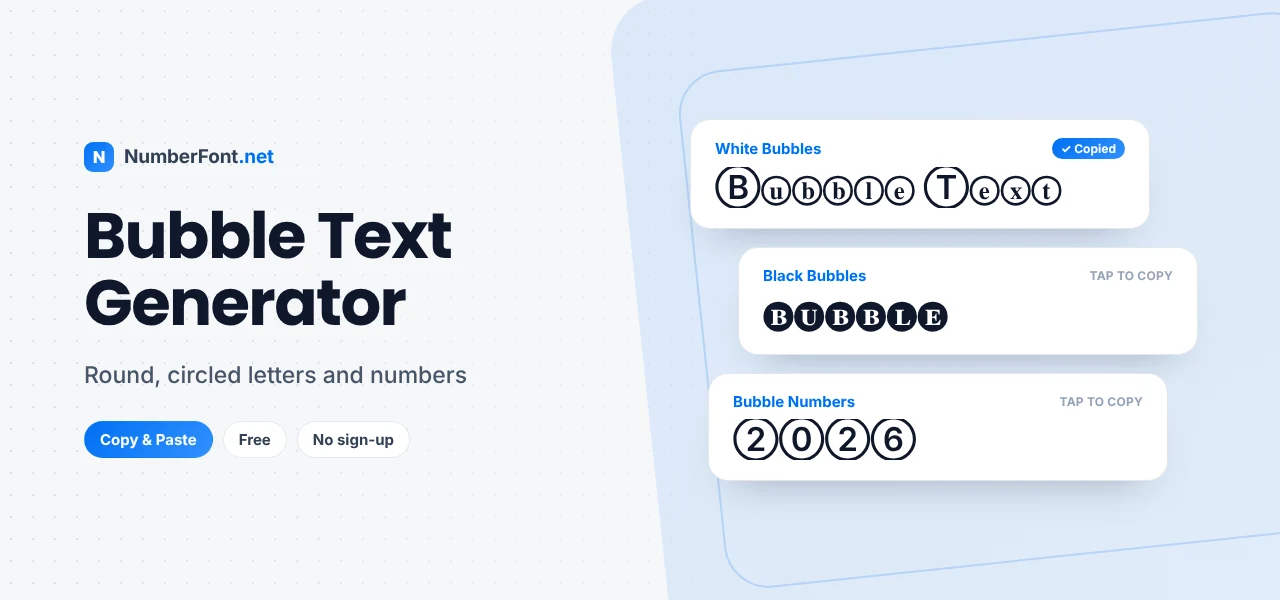
There's something cheerful about bubble letters. Maybe it's because they remind us of the puffy letters we doodled in school notebooks, or the rounded logos on toy boxes and sweet wrappers. Whatever the reason, text inside little circles feels friendly before you've even read it.
This bubble text generator turns your words into circled letters you can copy and paste straight into a bio, a chat, a username, or a caption. You don't need a drawing app or any design skills. Type, tap, and paste.
Below, we'll look at the different bubble styles, where they look best, and a few things to watch out for so your text stays easy to read.
Bubble text is regular text where each letter or number sits inside a circle. On this site it's made from real Unicode characters known as "enclosed alphanumerics". These characters were added to Unicode for lists, labels, and signs, places where you might see a circled number marking a step or an item. They are now widely used for decoration as well.
Because they're genuine characters, not images, you can paste them anywhere that accepts text. Here's a normal word:
The same words in white (outlined) bubbles:
And in black (filled) bubbles:
Note that the filled style only exists as capital letters in Unicode, so your text becomes uppercase when you use it. The outlined style has both capitals and lowercase letters.
You can also use the decorate button on a card to add symbols around your bubble text, such as stars or hearts, for an even more playful result.
Round text comes in a few varieties. Tap any example to copy it.
White bubbles are light and airy. They work well in longer words and in light-themed apps.
Black bubbles are bold and graphic. They stand out strongly, which makes them great for a single word such as a name, but tiring in a long phrase.
Bubble numbers are handy for ranks, ages, dates, and numbered lists. A circled ① ② ③ is also a neat way to number steps in a post.
Bubble letters are less suited to anything formal or very long. Save them for short, happy moments.
Bubble letters are fairly easy to read in short bursts, but a few things affect how they come across:
If you like the look of enclosed letters but want something sharper, square letters are the close cousin of bubble text. They put each character inside a box instead of a circle, which feels more techy and bold. Bubble letters feel softer and more playful. You can compare both by trying the square text generator and choosing whichever suits your profile.
Circled numbers are surprisingly practical. Use them to number the steps in a recipe caption, rank your top picks in a list post, or mark the days of a countdown, such as "③ days to go!". Teachers and tutors use them for quick numbered points in class groups, and sellers use them to label product options without needing real formatting. Because each digit sits in its own circle, the numbers stay tidy and easy to spot even on a busy screen.
All the round styles appear side by side, so you can compare white bubbles, black bubbles, and bracketed letters in one glance. You can make the preview bigger, save favorites, check your copy history, and switch to a compact view to see more styles on screen at once. It's free, it works on any phone or computer, and your text never leaves your browser.
Try your name or a fun word above and see how it looks in bubbles.
Common questions about bubble and circled text.
Yes, it's completely free. There's no sign-up, no download, and no limit on how often you use it.
Unicode only includes filled (black) circled letters in uppercase. When you choose that style, lowercase letters are converted to capitals automatically.
Yes. Copy a bubble style and paste it into your Instagram name, bio, caption, or comments. It shows up as long as the viewer's device supports the characters, which most modern phones do.
Unicode includes circled numbers up to 50 as single characters, and the generator builds larger numbers digit by digit, so any number works.
Some devices display certain enclosed letters with emoji-style graphics. It depends on the phone or app, and the text still copies and pastes the same way.
Many games accept them, but some only allow standard letters and numbers. Paste the name into the game and preview it before confirming.