0 Chars
 Number FontNumber FontNumber Font
More free text tools
Create a stylish Free Fire nickname with fancy letters and symbols. Tap to copy and paste it into the game.
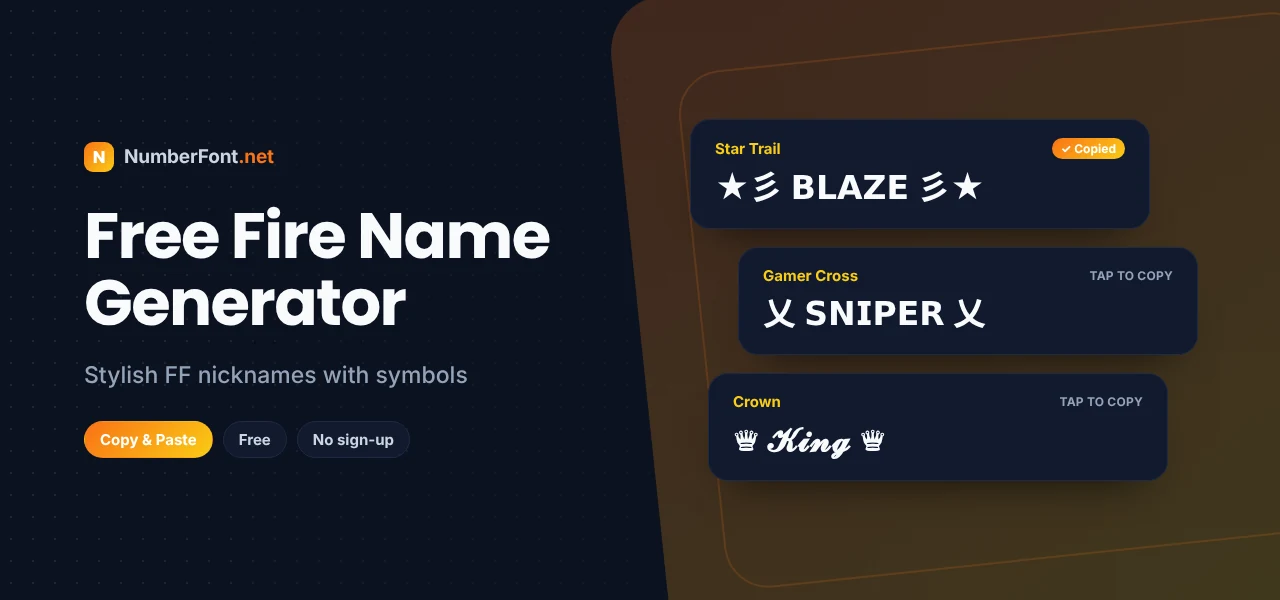
In Free Fire, your nickname is everywhere: on the kill feed when you take someone down, in your guild list, on the scoreboard at the end of a match, and above your character's head in the lobby. A plain name blends into the crowd. A stylish one with wings, crowns, or a sharp font gets remembered.
This Free Fire name generator helps you create a nickname that looks the part. Type your name, browse styles packed with gaming symbols and fancy letters, and copy the one you like straight into the game.
Free Fire doesn't have a font picker, but it does accept many Unicode characters in nicknames. Unicode is the worldwide standard for text, and it includes decorative letters and symbols like ꧁, 乂, ★, and ♛. The generator turns your name into those characters, so it looks custom while still being plain text the game can display.
Menus can change between game updates, but the name option is always on your profile screen.
Wings (꧁ ꧂) are the classic Free Fire name decoration. They make any name look legendary.
乂 and 亗 look like crossed weapons and are favorites among competitive players.
Crowns and stars suit squad leaders and players who like a flashy style.
Brackets like 『』 are perfect for guild tags at the start of your name.
Guild names follow similar rules and benefit from the same styling. A strong guild name is short, easy to recognize, and shared as a tag in members' names. For example, if your guild is "Night Wolves", members might use a tag like 『NW』 or a wolf-inspired symbol before their names. It makes your squad instantly recognizable in matches and shows you play as a team.
Need inspiration? Pick a word that suits your playstyle, then add a symbol. Rushers might like "乂𝗥𝗨𝗦𝗛乂" or "⚔ʙʟᴀᴅᴇ⚔". Snipers could go for "꧁ʜᴇᴀᴅꜱʜᴏᴛ꧂". Squad leaders might try "♛𝓒𝓪𝓹𝓽𝓪𝓲𝓷♛". You can also combine your real name with a style, such as "★彡ᴀʀᴊᴜɴ彡★", which keeps it personal and memorable. Short names leave room for symbols within the game's limit.
Playing with the same friends every day? Give your squad a matching look. Choose one symbol or frame, like ꧁꧂ or 『』, and have everyone use it with their own name. It makes your team easy to spot in the kill feed and on the results screen, and it's a fun way to show you're a crew.
A strong guild tag is short and easy to recognize. Use two to four letters from your guild name inside a frame, such as 『NW』, 【ACE】, or ꧁FF꧂, and put it at the start of every member's name. If your guild has a theme, like wolves, kings, or phantoms, choose a symbol to match: ♛ for kings, ☠ for phantoms. A tag that looks consistent across the whole squad makes your guild look organized and serious.
The most common mistakes are names that are too long, symbols that don't display in-game, and names that teammates can't read or say. Avoid stacking several symbols on each side, avoid mixing many fonts in one name, and never use lookalike letters to copy a famous player. A clean, readable, well-decorated name always looks better.
It's made for mobile, so you can create a name, copy it, and switch to Free Fire in seconds. Every style appears side by side, and you can save favorites, decorate with more symbols, and check your history. No login, no app, and no access to your game account. It's completely free. Also check the gaming font generator, BGMI, and PUBG name pages for more ideas.
Common questions about Free Fire names.
Type your name here, copy a style you like, then open your Free Fire profile, tap edit name, paste it, and confirm with a Name Change Card or diamonds.
Free Fire doesn't support every Unicode character. Remove the symbols that show as boxes or choose a different style.
Free Fire names have a short limit of around a dozen characters, and some symbols count as two, so keep your stylish name compact.
Yes. It only creates text in your browser. It never asks for your game login or connects to your account.
Yes, the generator is completely free to use as often as you like.