0 Chars
 Number FontNumber FontNumber Font
More free text tools
Number Font Generator - Create fancy, cool, and stylish number fonts with copy and paste. 150+ font styles, like Old English, circled, Bold and tattoo.
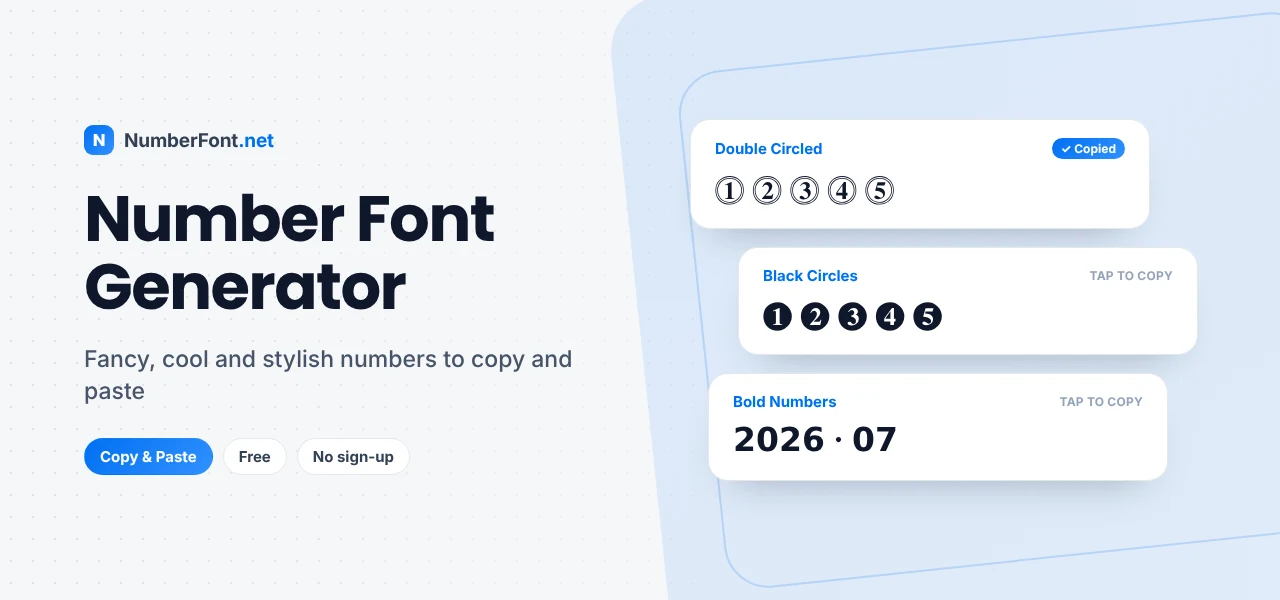
A simple number like 12345 is perfectly clear, but sometimes you may want something that looks a little more interesting. Maybe you are creating a gaming username, updating your Instagram bio, writing a stylish status, decorating a caption, or simply trying to make your text look different. In situations like these, changing the appearance of your numbers can make a surprisingly noticeable difference.
NumberFont.net is a free online tool that helps you turn regular text and numbers into a variety of stylish, fancy, cool, and decorative designs. You can type your text, explore different styles, choose the one you like, and copy the result in just a few clicks.
The idea is simple: instead of searching for individual symbols or trying to recreate a style manually, you get many options in one place. And you are not limited to numbers alone. The generator can be used with letters, numbers, and mixed text, which makes it useful for usernames, bios, captions, profiles, messages, and other types of digital content.
A number font is a different visual way of displaying digits. When you type numbers normally, your device uses its standard characters and font settings. A stylish number generator takes a different approach by creating alternative characters and combinations that have a decorative or distinctive appearance.
For example, a normal sequence might look like:
A stylized version could look like:
or:
The meaning remains the same, but the visual presentation changes. This is particularly useful for short pieces of text where appearance matters. A username, profile bio, game name, date, score, or caption can often look more personalized with a carefully chosen style.
It is also worth understanding that these results are generally based on special text characters rather than a font file being installed on your computer or phone. That is why you can often copy a generated result and paste it into another app.
The easiest way to understand a number font style generator is to think of it as a text styling tool.
You enter your text into the main input box, and the website shows different versions of that text in different styles. Instead of generating one result and making you start over repeatedly, the page lets you browse through multiple options and compare them. This is useful because the first style you see may not be the one you actually want.
For example, suppose you want to use the number 2026 in a profile. You may prefer a rounded version for an aesthetic look, a bold version for a stronger appearance, or a boxed version for something more decorative. The generator lets you try these different ideas without manually searching for special characters.
NumberFont.net also organizes its styles into categories. The current homepage includes options such as Gaming, Aesthetic, Calligraphy, Fancy, Glitch, Cute, Bold, Cursive, Symbols, Emoji, Small, Italic, Boxed, Joined, Discord, Cool, Round, Square, Asian, and other platform-focused categories. That makes browsing much easier, especially when you already have an idea about the kind of style you want.
One of the biggest reasons people use stylish text generators is convenience. You do not want to spend several minutes looking through symbol lists just to find a particular number design. You want to create it, copy it, and move on. That is exactly where numbers font style copy paste becomes useful.
Once you find a style you like, you can copy the generated text and paste it into a compatible website, app, game, or social media field. For example, you might use a decorative number for:
You can also mix numbers with letters: Player2026 can become something more visually interesting depending on the selected style.
The homepage is designed around individual style cards so that different results can be viewed and interacted with separately. This is helpful when you are comparing several options and want to quickly copy the one that feels right.
Keep in mind that not every platform supports every special character in exactly the same way. A character may look slightly different across devices, or a particular app may not support it at all. For that reason, it is always smart to check the pasted result before using it publicly.
Sometimes regular numbers are enough. Sometimes they are not.
A fancy number font can add a decorative touch to simple text without turning it into a full graphic. This can be useful for personal profiles, social posts, usernames, special dates, short announcements, and creative messages. Imagine writing 2026. There is nothing wrong with it, but a decorative version can have a different visual feel: ②⓪②⑥.
The best part is that the style can be as simple or as noticeable as you want. You do not have to choose an extremely decorative design every time. For a clean profile, a subtle style may work better. For a playful username, you might choose something more eye-catching. The important thing is to choose based on where the text will be used.
Fancy characters can also be combined with normal letters and symbols. That gives you more freedom when creating usernames, captions, bios, or short pieces of decorative text.
A cool number font is usually about creating a stronger or more distinctive visual impression. This type of styling is especially popular for usernames, gaming profiles, social media names, and other places where people want their text to stand out.
A number in a gaming name, for example, can look quite different when it is combined with bold, boxed, rounded, or unusual characters. NumberFont.net includes a dedicated Cool category along with gaming-focused categories, so you can browse styles that fit a more modern or playful look.
There is no single definition of what makes a number “cool.” Some people prefer bold designs, while others like minimal or aesthetic characters. That is why having multiple options is useful. Instead of trying to decide which style is best before seeing it, you can simply enter your text and compare the results.
Using the generator does not require any complicated steps.
Start by typing your text into the main input field on the homepage. You can enter a number, a word, a username, or a combination of letters and numbers. The interface is designed around a direct text-entry workflow, so the process begins as soon as you type.
After entering your text, browse the generated styles. You can use the category options to narrow down the type of result you are looking for. For example, you might explore Gaming if you are creating a game name, Aesthetic for a softer visual style, Fancy for decorative text, or Cool for something more distinctive.
When you find a style that you like, copy it and paste it wherever you need it. The page also includes a font-size slider, which lets you adjust the size of the preview while browsing different styles.
If you are trying several designs, the Saved and History sections can make the process easier by helping you return to styles you have already explored. The whole idea is to keep the process quick: type, explore, choose, and copy.
Instagram profiles are a natural place to experiment with decorative text. A stylish number can be used in a bio, username, caption, profile description, highlight text, or other short pieces of content. You might want to show a favorite number, birth year, milestone, age, jersey number, or simply include a decorative number as part of your profile style. When creating an Instagram bio, readability is worth considering. A highly decorative style may look attractive, but if the characters become difficult to recognize, the result may be less useful.
Gaming is another common reason people look for stylish numbers. A number might be part of a username, player ID, clan name, squad name, team tag, or profile description. Even a small change to the way the digits appear can give the name a more customized feel. For gamers, there is one extra thing to keep in mind: compatibility. Not every game allows every special Unicode character. Before finalizing your username, paste the generated text into the game and check how it appears.
You can also use decorative numbers in messaging and social media. On WhatsApp, numbers can be used in statuses, profile information, messages, event-related text, or creative updates. On Facebook, they can be included in posts, bios, comments, profile information, gaming communities, and other text-based content.
Choosing a stylish design is mostly a matter of personal preference, but a few simple rules can help:
NumberFont.net is built around a simple idea: making stylish text easier to create and copy. The homepage puts the generator at the center of the experience. You enter your text, browse different styles, explore categories, adjust the preview size, and choose the result that works for you.
The category system also helps you move quickly toward a style that matches your purpose. You can explore general categories such as Fancy, Aesthetic, Cool, Bold, Glitch, Cursive, and more, as well as platform-related sections such as Instagram, Facebook, WhatsApp, BGMI, PUBG, and Free Fire.
You do not need to learn graphic design. You do not need to manually collect symbols from different websites. You simply enter your text and explore the available results.
Common questions about using our fancy text and number generator.
A number font is a stylized way of displaying numbers. Online generators often create these results using alternative Unicode characters and decorative symbols that can sometimes be copied and pasted.
Yes. Generated results can be copied and pasted into places that support the selected characters. This can include social media profiles, usernames, messages, captions, and other text fields.
Yes. Stylish numbers can be useful for gaming usernames and player names. However, individual games have their own character restrictions, so you should test the result before using it.
Yes. The generator can be used for mixed text, so you can experiment with usernames, names, phrases, and other combinations containing both letters and numbers.
Different devices and apps may use different fonts to display Unicode characters. As a result, the same character can sometimes appear slightly different depending on where it is viewed.
No. Copy-and-paste generators generally work with alternative characters rather than installing a traditional font file on your device.