0 Chars
 Number FontNumber FontNumber Font
More free text tools
Explore elegant, decorative and unusual text styles all in one place. Tap any fancy font to copy and paste it.
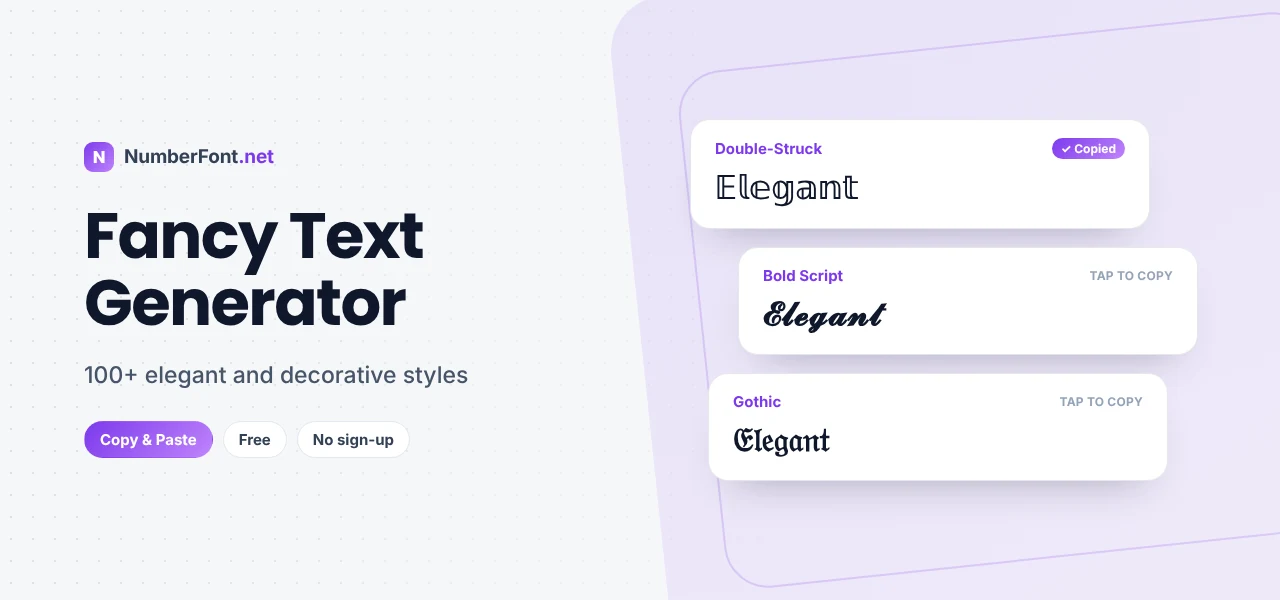
Fancy text is for the moments when plain letters feel too ordinary. A birthday wish, a shop name, a quote you love, or your own name in your bio all deserve a little extra polish. With the right style, the same words can look elegant, dramatic, playful, or vintage.
This fancy text generator gives you more than a hundred styles in one place. Type once, scroll through the results, and copy the version that fits your mood. Every style pastes straight into social media, chats, documents, and games.
Fancy text is regular text rewritten with decorative Unicode characters. Unicode, the system every device uses to display text, contains thousands of letters from mathematical alphabets, historic scripts, and world languages. Many of them look like stylized English letters. A fancy text generator maps your letters to those characters so the words look designed, even in apps that have no font options.
Each line uses different characters, but every one of them reads "Fancy Text".
Not sure what you want? Tap the shuffle button on the Mix & Match card to see random combinations. It often turns up styles you wouldn't have found otherwise.
Double-struck looks like letters printed with an outline. It's clean and modern, popular for brand names.
Script is graceful and personal, ideal for names and romantic or celebratory messages.
Gothic (also called blackletter or fraktur) is dramatic and old-world, a favorite for tattoos, metal bands, and dark aesthetics.
Small caps look refined and understated, a good choice when you want fancy without flashy.
With so many options, it helps to start from the feeling you want rather than the style:
Once you know the mood, the right style is usually obvious.
Fancy characters are different from normal letters as far as computers are concerned. That means they usually won't show up in searches for the plain word, screen readers may read them oddly, and older devices may show unsupported ones as boxes. This site flags styles that might not display on your device and moves them to the end of the list. The simplest rule: use fancy text for decoration, and keep anything people need to search or read quickly in plain text.
Here are a few quick ideas to spark inspiration. A bakery bio: "𝓢𝔀𝓮𝓮𝓽 𝓒𝓻𝓾𝓶𝓫𝓼 · fresh every morning". A wedding announcement: "𝒫𝓇𝒾𝓎𝒶 &𝒶𝓂𝓅; 𝒜𝓇𝒿𝓊𝓃 · 12.12.2026". A gamer tag: "𝕯𝖆𝖗𝖐𝖋𝖎𝖗𝖊". A minimalist quote: "ʟᴇꜱꜱ ʙᴜᴛ ʙᴇᴛᴛᴇʀ". A brand name: "ℕ𝕆𝕍𝔸 𝕊𝕋𝕌𝔻𝕀𝕆". Notice how each one styles only the key words and leaves the rest plain. That's the secret to fancy text that looks designed rather than cluttered.
It's tempting to use five different fancy styles in one bio. Resist it. A good rule is one main style for your name or headline and, at most, one accent style for a single word or label. Keep everything else in plain text. Matching styles across your name, bio, and highlights also makes your profile look intentional, like a personal brand.
If you sell online through Instagram, WhatsApp, or Facebook, fancy text is a free way to give your business a more polished look. Style your business name in a script or double-struck font, use bold for prices and offers, and add a single symbol that fits your brand, like a flower for a florist or a star for a beauty studio. Keep contact details, product names, and locations in plain text so customers can search and copy them easily. Consistency across your profile, posts, and messages helps customers remember you.
Before you publish, paste your fancy text into the app and look at it on your phone. Check that every letter shows (no boxes), that the style matches your message, and that the important words are still readable. If you're unsure, ask a friend to look at it on their device too.
It's one of the largest style collections around, all on one page, with category shortcuts for bold, cursive, aesthetic, gaming, and more. You can save favorites, view history, adjust preview size, switch to a compact list, and decorate any result. It's free and private, and it works on every device.
Common questions about fancy text.
Not exactly. It's made from special Unicode characters that look like styled letters, which is why it keeps its look when copied into other apps.
Yes, completely free, with no sign-up or limits.
Almost anywhere that accepts text: Instagram, TikTok, WhatsApp, Discord, X, Facebook, YouTube, games, and documents.
The device viewing the text doesn't have a font with those characters. Choose a more common style, like script, bold, or double-struck, for the widest support.
You can use it to preview how a word looks in different styles, then show the result to your tattoo artist as a reference.