
More free text tools
Reverse Text Generator (etsaP & ypoC)
Write backwards in one click. Reverse every letter, flip the order of words, reverse each word, or create mirror text, then tap to copy.
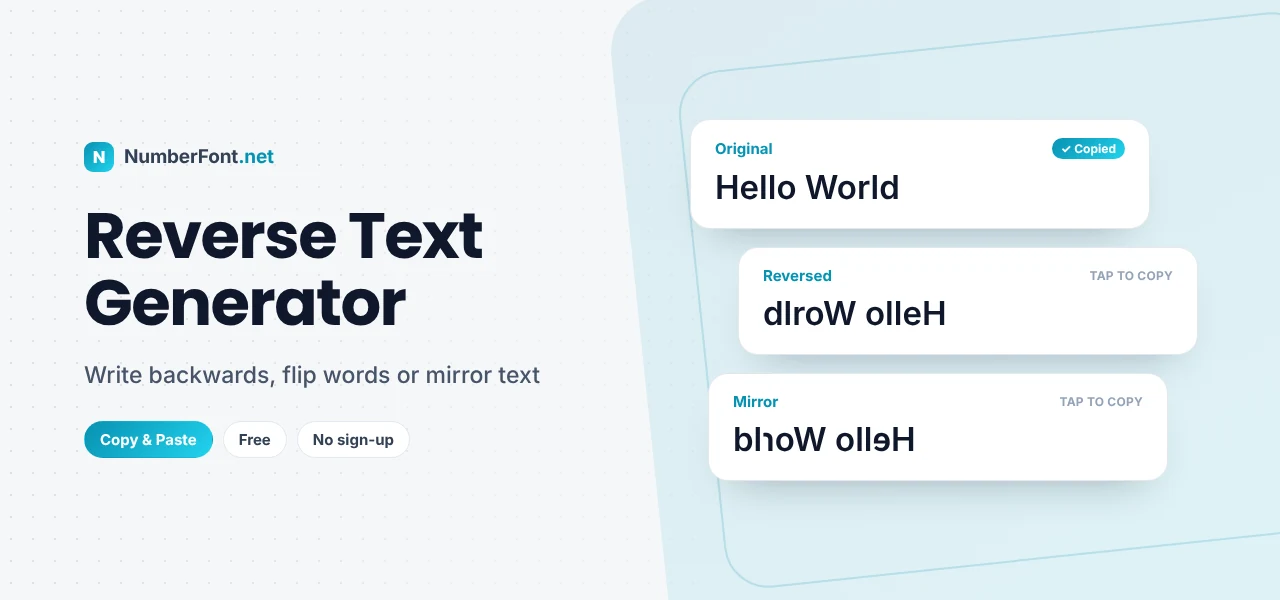
Writing backwards is one of those small tricks that never stops being fun. Leonardo da Vinci famously filled his notebooks with mirror writing. Kids pass secret notes with reversed words. Puzzle makers hide answers by flipping them. And online, a reversed sentence is an easy way to make people stop scrolling and work out what you've said.
This reverse text generator flips your text in several ways at once: every letter backwards, the order of words reversed, each word reversed in place, lines in reverse order, and mirror text with flipped letter shapes. Tap any result to copy it.
What Is Reverse Text?
Reverse text is simply text with its order changed. The most common version turns "hello world" into "dlrow olleh" by reading every character from the end to the start. But there are other useful ways to reverse text, depending on whether you want to flip letters, words, or lines:
Fully reversed:
Word order reversed:
Each word reversed in place:
How to Reverse Text
- Type or paste your text into the box at the top.
- See every version instantly. The cards update as you type.
- Tap the version you want to copy it.
- Paste it into a message, post, puzzle, or document.
Multi-line text works too. Each line is handled properly, so a short poem or a list reverses neatly.
The Five Ways to Reverse Text
- Reversed text: every character in reverse order, so the whole message reads backwards from the end.
- Reverse word order: the words swap places, but each word is still spelled normally. "I love coffee" becomes "coffee love I".
- Reverse each word: the words stay in place, but each one is spelled backwards. "I love coffee" becomes "I evol eeffoc".
- Reverse line order: the last line comes first, which is useful for flipping lists and logs.
- Mirror text: reversed, with letters swapped for mirror-image lookalikes like ɘ, ɿ, and Я, so it looks as if you're reading it in a mirror.
Fun and Practical Uses
- Puzzles and riddles. Hide the answer to a riddle in reversed text so readers have to decode it.
- Social media. A backwards caption or comment makes people pause and engage.
- Secret messages. Share a playful "code" with friends. Just don't rely on it for anything truly private!
- Palindrome checks. Reverse a word or phrase to see if it reads the same both ways, like "level" or "racecar".
- Reversing lists. Flip a list from oldest-first to newest-first using reverse line order.
- Teaching and learning. Reversed text is a classic exercise for reading practice and for learning programming.
Palindromes: Words That Read the Same Backwards
A palindrome is a word, number, or phrase that reads the same forwards and backwards. Single words like "madam", "level", "radar", and "refer" are palindromes, and so are numbers like 1221 or dates like 12/02/2021. The famous phrase "A man, a plan, a canal: Panama" works if you ignore spaces and punctuation. Type a word into the generator and compare it with the reversed version to test your own. Hindi speakers might enjoy finding palindromes in their own language too, which works here because the tool reverses whole characters rather than splitting them.
Reversing Emoji and Other Languages
Reversing text sounds simple, but many tools break emoji and accented letters, because these can be made of several hidden pieces. A family emoji, a skin-tone emoji, or a letter with an accent might be stored as two or more characters that must stay together. This tool reverses text by visible character (what Unicode calls a grapheme), so emoji like 👍🏽 and letters like é stay intact instead of turning into broken symbols.
For right-to-left languages such as Arabic and Hebrew, reversed text may look unexpected, because the language is already written from right to left. Reversing will flip it to the opposite direction.
Mirror Writing and Leonardo da Vinci
Leonardo da Vinci wrote most of his personal notes in mirror script, running from right to left with each letter reversed. Historians still debate why. He may have found it easier as a left-handed writer, since it avoided smudging the ink, or he may have wanted to make his notes harder for others to read. Either way, mirror writing has fascinated people for centuries. The Mirror text option here gives you a digital version, using Unicode letters that look like reflected versions of the originals.
Tips for Using Reverse Text
- Keep it short. Long reversed paragraphs are hard to read. A short phrase or a single sentence works best.
- Choose the right mode. Reverse word order is easiest to read, while fully reversed text is the most puzzling.
- Remember accessibility. Screen readers will read reversed text literally, which can be confusing. Add a plain version for important messages.
- Don't use it for real secrets. Reversed text is easy to decode, so it's for fun, not security.
Reverse Text in Programming
Reversing a string is one of the first exercises many people meet when learning to code, because it touches on loops, indexes, and how text is stored. It's also a good lesson in Unicode: a naive approach that reverses raw code units can split emoji and accented letters into broken pieces. This tool shows the correct result, so developers can use it to check their own functions against tricky input such as emoji, Hindi, or accented words.
Why Use This Reverse Text Generator?
It shows five different reversal styles side by side, updates instantly, handles emoji and accented letters correctly, and copies any result with one tap. No sign-up, and nothing you type is uploaded. To flip text upside down instead, try the upside down text generator.
Frequently Asked Questions
Common questions about reversing text.
Type your text into the box above. The "Reversed text" card shows it backwards instantly, and you can tap it to copy.
Reversed text puts the characters in reverse order. Mirror text also swaps letters for mirror-image lookalikes, so it looks like a reflection.
No. This tool reverses by visible character, so emoji, skin tones, and accented letters stay intact.
Yes. The "Reverse word order" card flips the words while keeping each word spelled normally.
Yes, it's completely free with no sign-up, and your text never leaves your device.