
More free text tools
Text Decorator (꧁ Copy & Paste ꧂)
Wrap your text in 40+ decorative frames made from symbols, and choose a font style to go with it. Tap any design to copy it.
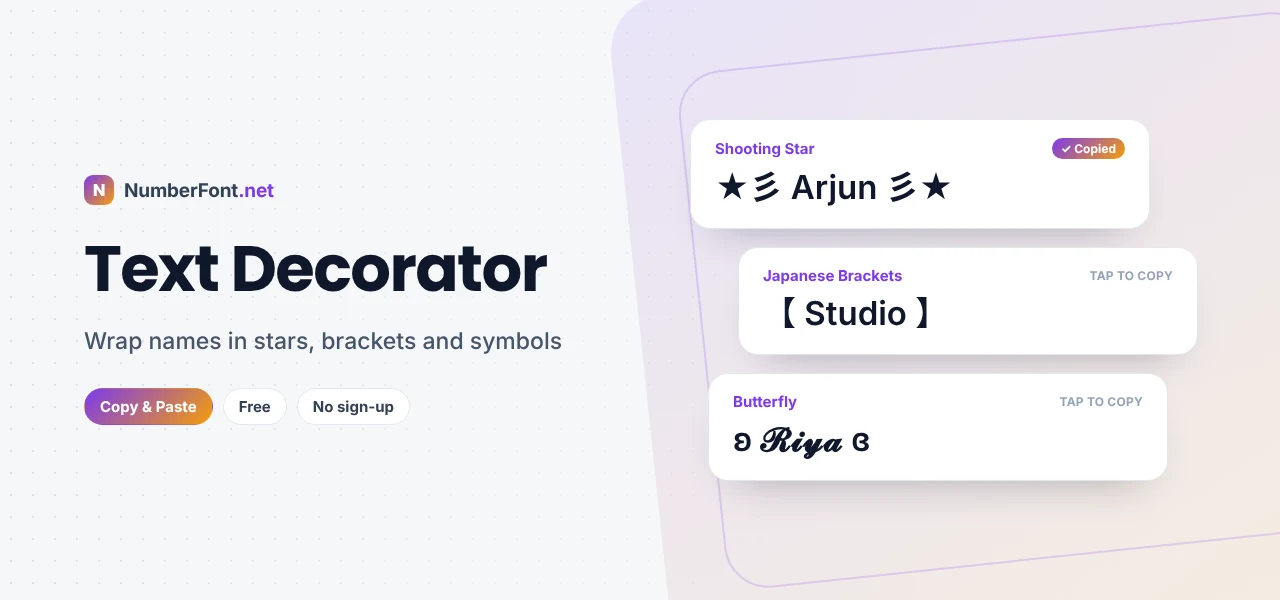
A name on its own is just a name. Wrap it in wings, stars, or brackets, and it becomes a signature. ꧁༺ Riya ༻꧂ looks royal. ★彡 Arjun 彡★ looks fast and flashy. 【 Studio 】 looks neat and official. The words don't change, but the frame around them changes how they feel.
This text decorator wraps your text in more than 40 decorative frames made from symbols, and lets you choose a font style to go with it, such as bold, script, gothic, small caps, or bubble letters. Type once, tap your favorite design, and paste it anywhere.
What Is a Text Decorator?
A text decorator adds symbols around your text to create a decorative frame. Those symbols come from Unicode, the standard character set used by every modern device, which includes thousands of ornaments, brackets, stars, hearts, and characters borrowed from scripts around the world. Because the decoration is made of real text characters, it stays intact when you copy and paste it into Instagram, WhatsApp, games, and other apps.
Unlike a font generator, which changes the letters themselves, a decorator focuses on what surrounds your text. This page lets you do both: pick a font style, then choose a frame.
How to Decorate Text
- Type your name or text in the box at the top.
- Choose a font style from the row of buttons (Plain, Bold, Script, Gothic, Small caps, Bubble, and more).
- Scroll through the decorations. Every frame updates with your text and chosen font.
- Tap a design to copy it.
- Paste it into your profile, game, post, or message.
Your font choice is remembered in your browser, so it'll be ready next time you visit.
Popular Decoration Styles
- Wings (꧁ ꧂): the most popular frame for names, especially in gaming. They come from the Javanese script, and their flowing shape looks like a pair of wings.
- Shooting stars (★彡 彡★): a playful, energetic frame that suggests speed and sparkle.
- Gaming emblems (乂 亗 ⚔): sharp, weapon-like symbols loved in battle royale games.
- Brackets (【 】 『 』 〖 〗): clean frames from East Asian punctuation, ideal for tags, labels, and titles.
- Hearts, flowers, and sparkles (♡ ✿ ✧): soft frames for cute and aesthetic profiles.
- Lines and patterns (═══, ▁ ▂ ▄ ▅ ▆ ▇ █): bold, graphic frames that work as headings.
- Kaomoji frames (ʕ•ᴥ•ʔ, (っ◔◡◔)っ ♥): add a cute face next to your text.
Where to Use Decorated Text
- Gaming names: Free Fire, BGMI, PUBG Mobile, Call of Duty Mobile, and more. Decorated names stand out in lobbies and kill feeds.
- Instagram and TikTok: display names, bio headings, and highlight titles.
- WhatsApp: group names, status updates, and the About section.
- Discord: nicknames, roles, and channel headings.
- YouTube: channel names, video titles, and community posts.
- Greetings: birthday wishes, festival messages, and congratulations.
Matching Decorations to Your Style
The best decorated names feel intentional. Think about the impression you want to give, then pick a frame that matches:
- Royal or legendary: wings ꧁ ꧂ or crowns ♛ with a gothic or script font.
- Aggressive or competitive: 乂, 亗, ⚔, or ☠ with bold or sans letters.
- Cute or soft: hearts, flowers, butterflies ʚ ɞ, or a bear face with small caps or script.
- Clean or professional: brackets like 【 】 with plain or bold text.
- Dreamy or aesthetic: sparkles ✧ and dots ⋆。˚ with small caps or wide letters.
Tips for Great-Looking Decorated Text
- Keep the name readable. The decoration should frame your name, not bury it. Short names work best with bigger frames.
- Check length limits. Games and apps limit name length, and every symbol counts. Some symbols count as two characters.
- Preview before saving. If a symbol shows as a box or disappears, the app doesn't support it. Try another frame.
- Use one decoration at a time. Stacking several frames usually looks cluttered.
- Be consistent. Use the same frame for your name across apps, or for your whole squad, to build a recognizable look.
Why Some Symbols Look Different on Other Phones
Decorations are drawn using the fonts installed on each device. That means ꧁ ꧂ may look slightly thinner on one phone and bolder on another, and a heart might appear as a plain symbol in one app and a red emoji in another. Nearly all the frames on this page use widely supported characters, so they'll display correctly on almost every modern phone and computer. If something looks off, preview it in the app where you'll use it.
For individual symbols to build your own designs, browse the cool symbols library. For more font styles, try the fancy text generator.
Decorated Name Ideas
Not sure where to start? Here are a few combinations that work well. For a gaming name, try bold letters inside 乂 crosses, or a gothic name inside wings. For an Instagram name, try script letters with hearts or sparkles. For a WhatsApp group, try small caps inside flowers, like ✿ ꜰʀɪᴇɴᴅꜱ ✿. For a YouTube channel, try plain or bold text inside lenticular brackets for a clean, professional look. Mix and match until something feels like you.
Why Use This Text Decorator?
It combines over 40 decorative frames with ten font styles, so you can create hundreds of combinations in seconds. Every design updates as you type, copies with one tap, and works in all major apps. It's free and needs no sign-up, and your text stays on your device.
Frequently Asked Questions
Common questions about decorating text.
Type your name above, choose a font style if you like, then tap any decoration to copy it and paste it into your profile or game.
They're characters from the Javanese script, used in names as decorative "wings" because of their shape.
Many games support these symbols, but some limit special characters or length. Paste the name into the game and preview it first.
Yes. Pick a font style from the buttons above the results, and every decoration updates to use that font.
The device viewing the text doesn't have a font for one of the symbols. Pick a frame with more common symbols, such as brackets, stars, or hearts.
Yes. WhatsApp group names accept Unicode symbols, so most decorations work. Keep the name short so it fits in the chat list.
Yes. It's completely free with no sign-up.