0 Chars
 Number FontNumber FontNumber Font
More free text tools
Type your text and get instant bold fonts, including bold serif, bold sans-serif, bold italic and bold script. Tap any style to copy it and paste it into your bio, posts, comments or game name.
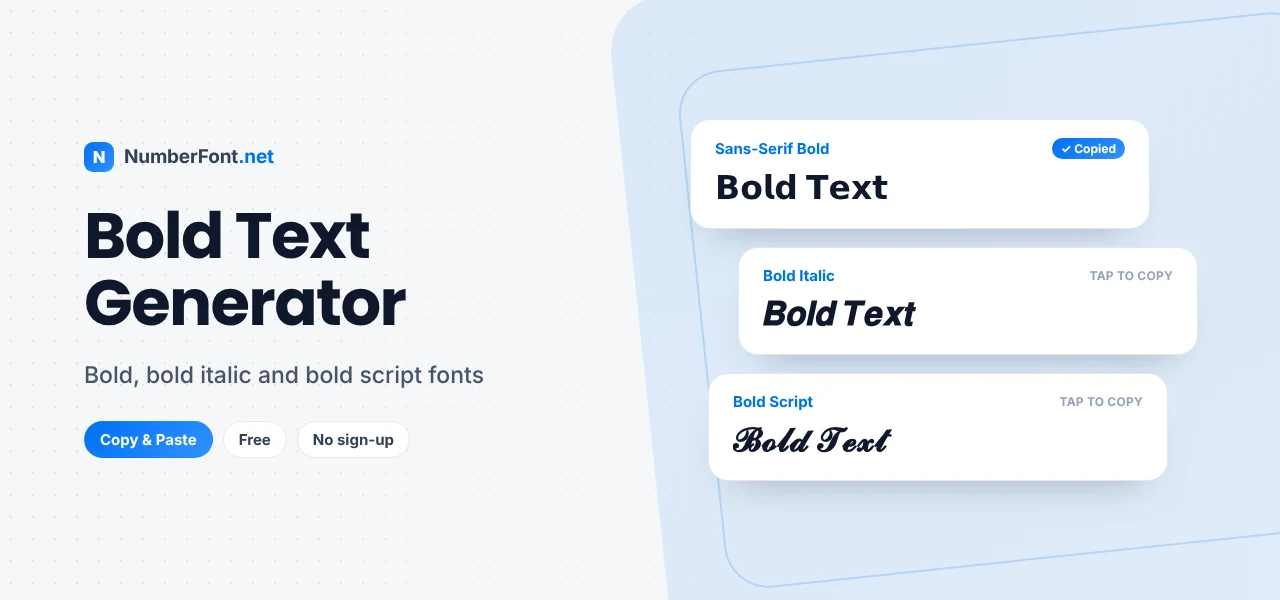
Plain text says what you mean. Bold text makes people stop and read it. That small difference matters when you only get one line to make an impression, such as a profile name, the first sentence of a caption, or a short announcement in a group chat.
The trouble is that most apps don't let you format text at all. You can't highlight a word in an Instagram bio, and a TikTok username has no bold button. That is the problem this bold text generator solves. Type your words once and you get a range of ready-made bold styles that you can copy and paste almost anywhere.
On this page you'll find out how the tool works, which bold styles are available, where they work well and where they don't, and a few habits that keep your text looking sharp instead of messy.
A bold text generator turns ordinary letters and numbers into bold-looking Unicode characters. That part is important. The tool does not apply formatting the way a word processor does. It swaps each character for a different one that already looks bold.
Unicode, the standard that lets every phone and computer show the same text, includes complete sets of bold letters and digits. They were originally added for mathematical notation, where a bold letter can mean something different from a regular one. Because they are real characters rather than styling, they travel with your text when you copy and paste them.
Here is the difference in practice. Normal text looks like this:
The same words converted into bold serif characters look like this:
And here they are in a bold sans-serif style, which tends to look cleaner on phone screens:
To the reader, all three say the same thing. To the app, the last two are completely different characters, which is why they keep their bold look even in places that strip out normal formatting.
The tool at the top of this page is built to be quick. There is nothing to install and no account to create.
If you find a style you like, tap the heart to save it. Your saved styles and recent copies stay in your browser, so you can find them again the next time you visit.
"Bold" covers more than one look. Each of these styles gives your text a slightly different personality, and tapping any example copies it.
Bold serif has small feet on its letters and feels classic and a little formal. It suits quotes, headings in long posts, and names that should look established.
Bold sans-serif is the modern choice. It is the closest match to the bold text you see in apps and on websites, so it blends in naturally. If you're unsure, start here.
Bold italic adds energy. It works well for a single word you want to emphasize, such as "𝑵𝑬𝑾" or "𝑺𝑨𝑳𝑬", without shouting.
Bold script and bold fraktur are decorative. They look great in short names and titles, but they get harder to read over a full sentence.
Bold Unicode text works in most places that accept plain text. A few spots get the most out of it:
Some apps already have their own bold formatting. On WhatsApp, wrapping a word in asterisks (*like this*) makes it bold, and Discord uses double asterisks. Where native formatting exists it's usually the better option, and Unicode bold is there for every place that doesn't have it.
It's worth knowing what you're trading off. Real formatting, like pressing Ctrl+B in a document, changes how a letter is displayed while keeping the letter itself. Unicode bold replaces the letter with a different character.
That has a few practical effects:
None of this means you should avoid bold text. It just means you should use it on purpose: for the words that need attention, not for everything.
A few simple habits make a big difference to how your bold text comes across.
Since this site started as a number font tool, bold digits deserve a mention. Bold numbers are useful wherever a figure is the main point, such as a follower milestone, a price, a year, or a player ID.
They pair especially well with plain text around them, for example "Season 𝟳 starts Friday" or "𝟏𝟎𝐊 followers, thank you." The number gets attention while the rest of the sentence stays easy to read.
Plenty of tools convert text to bold, so here's what this one does differently. It shows many bold styles side by side, so you can compare them before choosing. You can adjust the preview size, switch to a compact view to see more at once, save your favorite styles, and add decorations around your text in a couple of taps.
Everything runs in your browser. Your text isn't sent anywhere, and there is no sign-up or watermark. Open the page, type, copy, and you're done.
When you want a softer, handwritten look instead, try the cursive font generator. For a classic slanted style without the weight, the italic text generator is a good alternative.
Quick answers about bold text and how to use it.
Yes. The tool is completely free, with no sign-up, no limit on how many times you use it, and no watermark on the text you copy.
Type your text into the generator above, tap the bold style you like to copy it, then paste it into your Instagram bio, caption, comment, or name field. Instagram has no built-in bold option, so Unicode bold is the usual way to do it.
That happens when the device or app viewing the text doesn't have a font that includes those characters. Bold sans-serif and bold serif are the most widely supported, so switch to one of those if a decorative style isn't showing correctly.
It can. Platforms usually treat Unicode bold letters as different characters from normal ones, so a bold word may not match a search for the plain word. Keep your name and main keywords in regular text, and use bold for emphasis.
Often, yes. Many games accept Unicode characters in names, but some limit them. Paste the bold name into the game first and check how it looks before you confirm the change.
Yes. Bold styles include digits, so you can make years, scores, prices, and IDs bold as well as letters.