0 Chars
 Number FontNumber FontNumber Font
More free text tools
Make a stylish BGMI nickname or clan tag with fancy letters and gaming symbols. Tap to copy and paste.
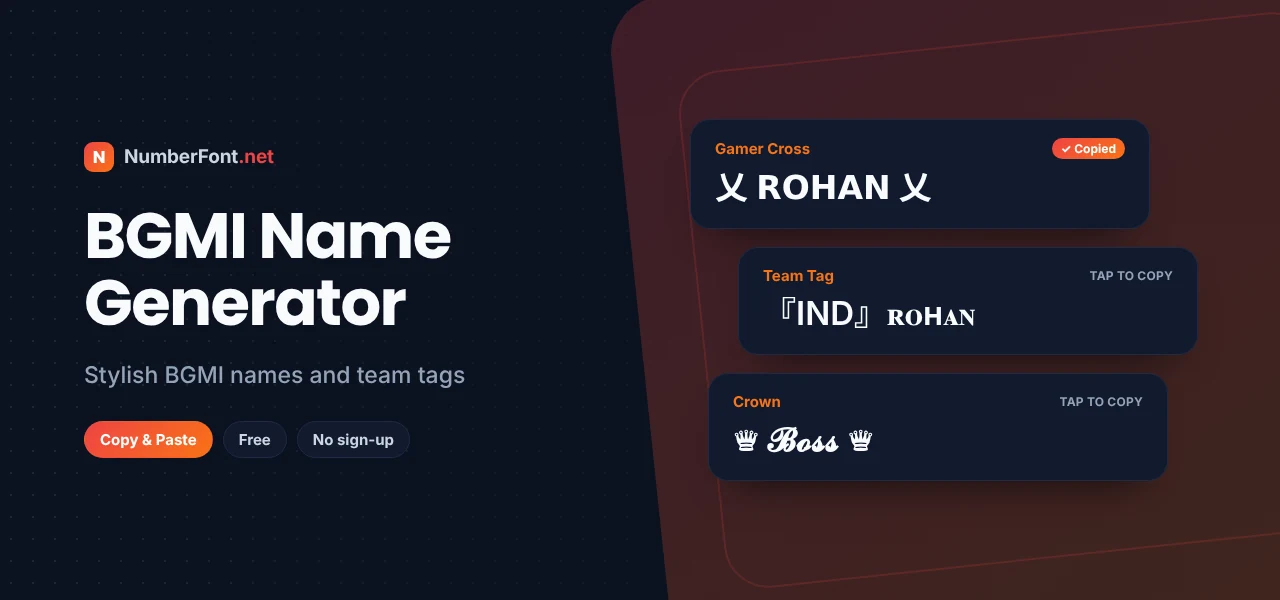
Battlegrounds Mobile India (BGMI) has one of the most active gaming communities in the country. From college squads to YouTube streamers and esports teams, everyone wants a name that looks sharp in the lobby and memorable in the kill feed. Your BGMI name is your identity in every match, so it's worth making it count.
This BGMI name generator gives you stylish nickname options with fancy fonts and popular symbols like 乂, 亗, ꧁꧂, and ★. Type your name, pick a style, and copy it into the game.
BGMI doesn't offer font choices for names, but it supports many Unicode characters. The generator converts your letters into stylized versions and wraps them in gaming symbols. The result is plain text that the game can display, but it looks custom-made.
Rename Cards are limited, so it's worth testing your name before you use one.
乂 (crossed) is one of the most recognizable BGMI symbols, bold and aggressive.
亗 has an emblem-like shape that looks great framing a short name.
꧁ ꧂ wings give names a royal, legendary vibe.
Team tags in brackets show which squad or clan you belong to.
Playing with a regular squad? A shared tag makes your team look organized. Choose two or three letters (like your team's initials or city), put them in brackets such as 『』 or 【】, and add them before every member's name. For clan names, short and punchy works best: think of words like Titans, Vipers, Phantoms, or Spartans, styled with one symbol. Consistency is what makes a squad look pro.
Here are some ideas to build on. For aggressive players: "乂𝗕𝗘𝗔𝗦𝗧乂" or "⚔ᴡᴀʀʀɪᴏʀ⚔". For snipers: "꧁ꜱɴɪᴘᴇʀ꧂". For leaders: "♛𝓑𝓸𝓼𝓼♛". For streamers: "★彡𝐋𝐢𝐯𝐞𝐖𝐢𝐫𝐞彡★". You can also use your real name or a nickname friends already call you, styled with one symbol, which makes it personal and easy to remember.
If you stream BGMI or play in tournaments, your in-game name becomes part of your brand. Keep it consistent with your YouTube or Instagram name so fans can find you. Use one signature symbol across all platforms, and make sure the core name is easy to read on a small screen and easy for commentators to pronounce. A clean, recognizable name often works better than a heavily decorated one at a competitive level.
Some symbols have become BGMI favorites over the years: 乂 and 亗 for their weapon-like shapes, ꧁ ꧂ for wings, ★彡 for a flashy trail, ♛ for leaders, ⚡ for speed, and ☠ for a dangerous vibe. Brackets like 『』 and 【】 are common for team tags. Pick one or two that match your style and use them consistently. Overloading a name with every symbol usually makes it harder to read and remember.
Before using a rare symbol, paste it into the rename box to check that BGMI displays it correctly.
Avoid names that are too long for the limit, symbols that BGMI doesn't support, and names that are impossible to say in voice chat. Don't copy a famous streamer's name with lookalike characters, since it can be reported as impersonation. And don't rush: a Rename Card is precious, so test your name, read it out loud, and make sure it feels like you before you confirm.
It's built for phones: generate, copy, and switch to BGMI in seconds. Compare many styles side by side, save your favorites, and decorate with extra symbols. There's no login and no app, and it never touches your game account. It's completely free. For more ideas, see the PUBG name generator, Free Fire name generator, and gaming fonts.
Common questions about BGMI names.
Type your name here, copy a style you like, then use a Rename Card in BGMI, paste the name, and confirm.
It may be too long, already taken, or contain unsupported symbols. Shorten it or replace the characters that show as boxes.
乂 is a Chinese character used in gaming names for its crossed, weapon-like shape. It works as decoration, not as a word.
Yes. It only generates text in your browser and never asks for your BGMI login.
Yes, it's completely free and unlimited.
Yes. Choose one tag or symbol, such as 『IND』 or 乂, and have every member use it with their own name. It's a simple way to look like an organized team.
Clan names generally accept similar characters, so many of the same styles work. Paste the name into the clan field and check it before saving.